Digital Citizenship

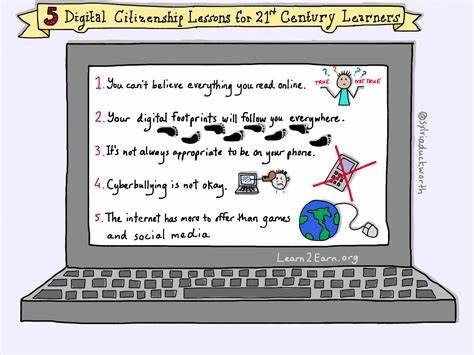
The concept of digital citizenship describes the developing norms of appropriate and responsible technology use (Ribble, n.d.). Digital citizenship is comprised of nine elements, or themes. Digital health and welfare is one of the themes and it refers to our ability to use technology in a balanced way. There are many benefits to technology and it is important that we are fluent users, but maintaining physical and psychological well-being in an increasingly digital world is also important. Part of being a responsible user is knowing when we are spending too much time in front of a screen. Getting exercise, socializing, engaging with loved ones, and enjoying nature are some of the things that we can miss out on when we’re using technology in an unbalanced way. It is irresponsible to ignore these aspects of life that contribute to our overall physical, psychological, spiritual, and emotional happiness.

Educators should be mindful of their students’ screen time and offer diversity in assignments so that not all of their learning is confined to a computer. Ultimately, in addition to being tech-savvy, we want to be well-rounded people who can explain, tell stories, persuade, and enlighten with our spoken words. Educators should set this example for their students to follow and a good start is to use technology in a responsible way. 

One thing that I would add to the themes is digital tolerance. There have been many instances of public figures, for example, apologizing for comments they made on the internet. People are quick to express their disapproval of someone else’s thoughts or opinions expressed online. Sometimes, the apologies may be warranted, but it seems unreasonable that someone should apologize for how they feel or what they believe. Another thing to consider is that the content may have been misinterpreted. Sometimes, sarcasm and tone of voice don’t always come through in written form (SchoolTube, Inc., 2012). Some social cues, such as facial expressions, body language, and tone, help us understand intent and meaning and it is important to remember that those elements are missing from digital conversations. I think the digital world would be a more effective and pleasant space if people were not so easily offended and quick to censor others.

References

Ribble, M. (n.d.).Nine themes of digital citizenship. Retrieved from  https://www.digitalcitizenship.net/nine-elements.html

SchoolTube, Inc. (Director). (2012). Digital citizenship [Video file]. Retrieved from http://www.schooltube.com/video/c31905a60541e87e2c2a/Digital-Citizenship
Self-Assessment

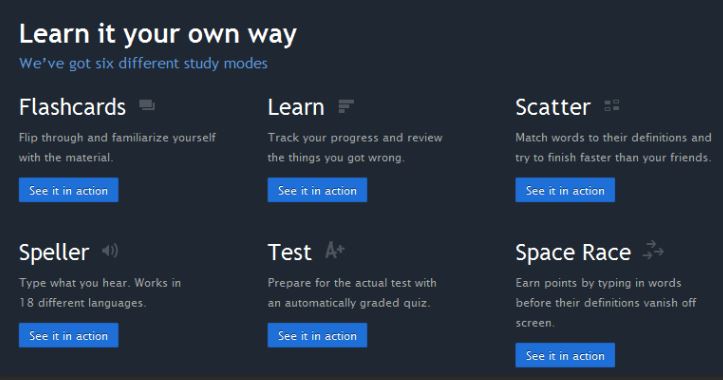
Quizlet offers a fun and user-friendly way to test your knowledge of a wide variety of topics. The site contains thousands of quizzes in a range of studying styles, including flash cards and matching. You can also create quizzes for your students to use as self-assessments. The quizzes can be easily shared with students in Google Classroom. Quizlet is free and you can create an account with your email address, or by logging in with your Google or Facebook credentials.

Assessment

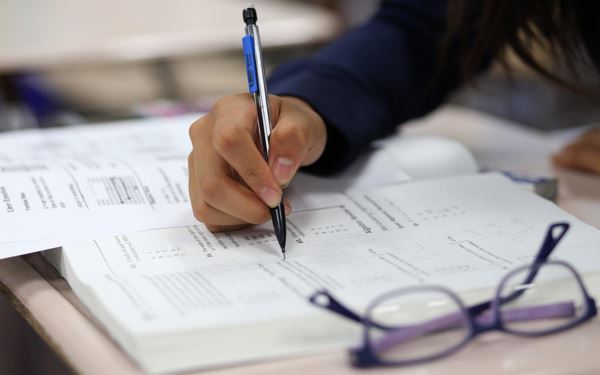
I would argue that every multiple-choice test I have ever taken was the least effective assessment method for the material covered. Most of the formative and summative tests I took in high school and during my undergraduate studies were multiple-choice and the issue with this method is that it encourages memorization of information rather than critical thinking. It also does not allow for the visibility of student thinking, which is a key principle of modern assessments (Binkley, Erstad, Herman, Raizen, Ripley, Miler-Ricci & Rumble, 2011). The concept of visibility refers to the ability to see the student’s understanding and how they’re conceptualizing the problem and arriving at their solution. This cannot be seen from multiple-choice responses. The student may have guessed the correct answer or, even if they knew the correct response, there is no demonstration of their understanding beyond memory recall. While the ability to recall facts and information is important, learning the concepts and more abstract ideas that the facts represent is arguably more important because those underlying principles can be applied in multiple ways and across different contexts. Memorizing facts is “learning” information in a vacuum and that information is not valuable unless I know how to apply it correctly. For example, knowing the dates and other facts regarding landmark events in history is not as meaningful as understanding what social, economical, and political factors created the environment prompting the events to occur. That deeper understanding goes beyond knowing facts and can be applied in other areas, such as informing policies and laws so that negative historical events do not repeat themselves. 

Alternative assessment methods to multiple-choice tests include other paper-and-pencil methods, such as essays and reports. Even though these are traditional assessments, they are more effective than multiple-choice because they are open-ended and involve complex thought, such as explanation, providing details, and offering relevant examples. Other assessment methods utilizing technology have the potential to be even more engaging because they require creativity. Having students create a video, for example, is not just fun but you really have to understand the material before you can create anything from it. Learning objectives should be set by the instructor and made clear to the student so that their creation does demonstrate their understanding of the important concepts. The focus of a video assessment is less about memorizing the correct answer and more about explanation and reasoning skills (Binkley, Erstad, Herman, Raizen, Ripley, Miler-Ricci & Rumble, 2011).

Reference

Binkley, M., Erstad, O., Herman, J., Raizen, S., Ripley, M., Miler-Ricci, M., & Rumble, M. (2011). Defining twenty-first century skills. In P. Griffin, B. McGraw, & E. Care (Eds.), Assessment and teaching of 21st century skills (pp. 17–66). New York, NY: Springer. (PDF)   

OpenEd

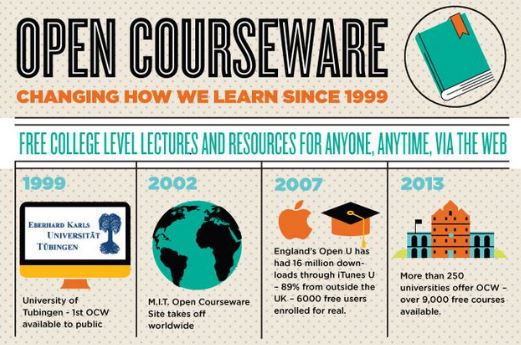
Open education is making knowledge available to whoever wants it and can access it. Fortunately, the web makes it possible for people in even remote areas to access information that would be impossible otherwise. And, the web is common in even poor and rural areas, so access to the information it holds is becoming less of an issue. MIT has led the way for open education by making all of its course materials available for free online. This is quite remarkable, especially for such a prestigious school. The idea to give away their collective knowledge rather than sell it garnered support from two foundations that contributed $30 million to make the massive project happen (Bonk, 2011). The significance of a move like this is that it sets an example for universities and other institutions to share their intellectual wealth with those who would never have the opportunity to attend college. It also acknowledges that there are brilliant people all over the world in different circumstances and they can contribute to humanity in meaningful ways if they only had access to the knowledge that the privileged few have. The quest for knowledge is universal and it is heartening to read about people who are not only sharing what they have accumulated, but there are others who are also helping to translate the information for maximum use.

Simulation

Criminal Justice is my field of study and I intend to go back to the field professionally, so I thought I’d look at some online police simulators that may benefit those studying or working in the field. I have participated in police scenario simulations in an academy setting and at the firing range I frequent, but had never done an online version. There are tons of simulators on YouTube, including Police Simulator: Patrol Duty, which is a game that is surprisingly engaging. I am not a gamer, but I did enjoy some aspects of this simulation, including the choices of patrol or traffic duty. The game is a good choice for learners because it can be accessed on YouTube by subscribing to the channel, played from any device, and includes even the mundane aspects of policing, such as clocking in at the station and getting your gear from the armory. It is beneficial to learners because it demonstrates how quickly officers have to think on their feet and make important decisions. This is something I think everyone should experience, even if it’s just a virtual scenario.

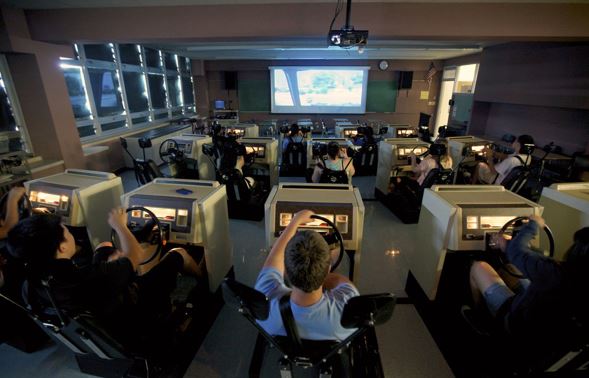
The challenge of this type of simulator is that it is not as realistic as ones with large screens, laser guns, and real settings. Augmented realities would be best for police simulation, but this online game is more feasible for a classroom environment where everyone can access the game from their own device. As an adult educator of CJ courses, I would use this game so students can “experience” police work and some of the constitutional or legal issues they may encounter on the job. For example, encountering suspicious persons will cause learners to exercise what they have learned about “stop and frisk” policies and the importance of being able to articulate probable cause. After each call or encounter, learners can practice report-writing skills and discuss various ways of handling each situation.

I think just putting yourself in the role of a police officer and attempting to solve the problems they face is a valuable lesson for those who wish to understand the complexities of policing and, perhaps, gain a better appreciation for the work. This type of hands-on experiential learning is a fun and convenient way to think critically about CJ issues. 

Language

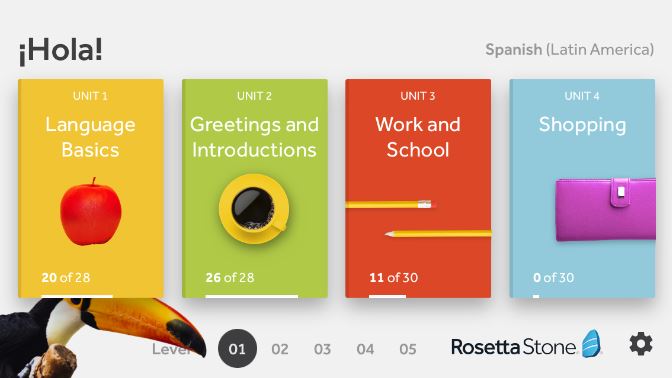
The learning opportunities available on mobile devices are truly endless. Rosetta Stone is a language learning software that can also be accessed from your cell phone by downloading their mobile app. Rosetta Stone is a paid subscription, but your job or school may already have an account that you can access for free. If you are a student, check with your library administrator to see if your institution subscribes to Rosetta Stone and, if so, ask for the single sign-on (SSO) code. You can use the SSO code to log on to the Rosetta Stone app once you download it to your mobile device. Learning a language has never been easier!

EBSCOhost

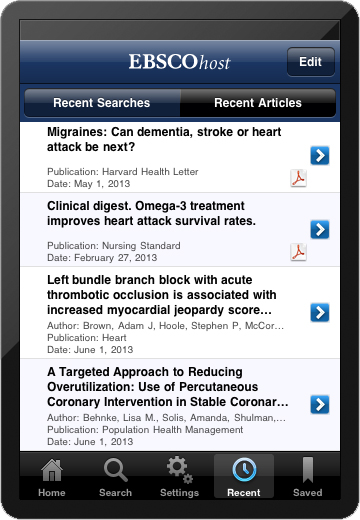
EBSCO is the leading provider of research databases to libraries. Digital access to academic journal articles is a necessity for both traditional and online college students. EBSCO now offers an app so that users can access millions of articles, periodicals, and e-books from any mobile device without going through their academic institution’s online library.

To use the app, complete the following steps:

1. Search “EBSCOhost” in the App Store or Google Play and download the app from your mobile device.

2. Access your academic institution’s online library and locate EBSCO among the databases.

3. Click the link at the bottom of the screen to email yourself a 9-month access key.

4. Open the email from EBSCO to retrieve your access key.

5. Open the EBSCOhost app from your mobile device and enter your access key.

Mobile

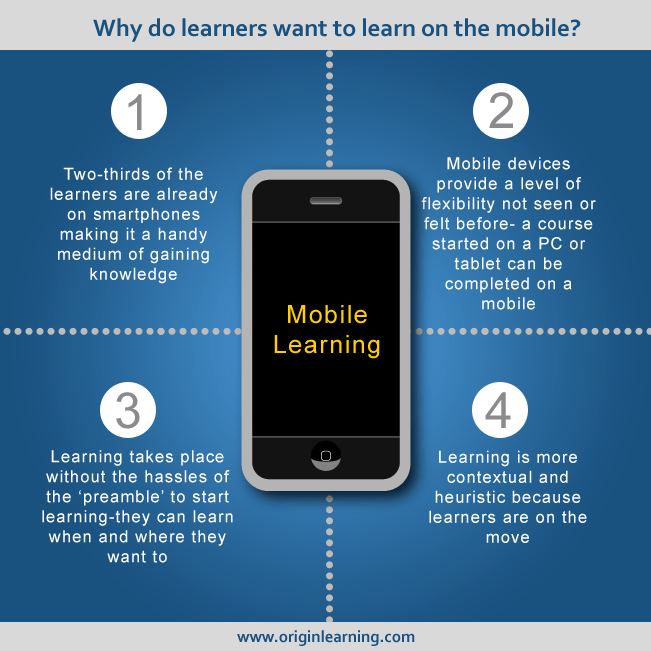
I think that not only should educators integrate mobile devices into the classroom, but they must embrace mobile technology in the classroom. Fighting against technology as pervasive as cell phones, for example, is a waste of energy. The truth is that even adults who did not grow up using cell phones have become accustomed to the convenience and versatility of their mobile devices to the extent that they do not feel comfortable going anywhere without them. The issue, in terms of education, is how do we keep technological devices from being a distraction to the learning process? Furthermore, how can we leverage mobile devices in such a way that they become assets to the learning experience?

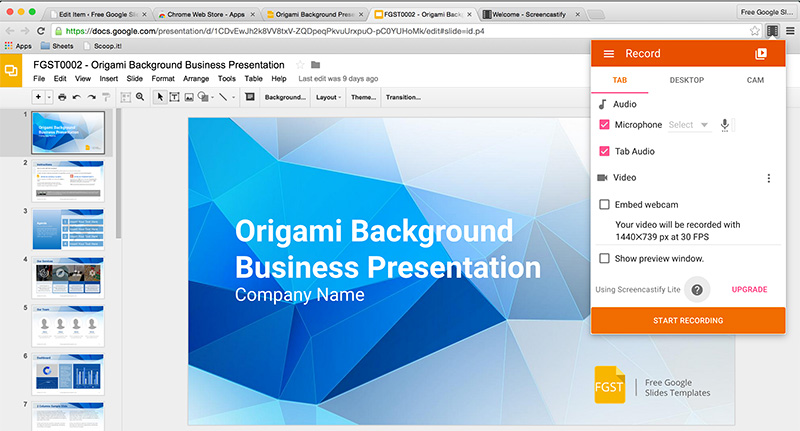
The major contribution of mobile devices to the learning process, in my experience, is the limitless access to information they provide. Not only does this allow me to benefit from the work and knowledge of others, but I save so much time by not having to conduct extensive research, develop something on my own, or conduct trial-and-error tests on something that someone else already has. For example, I teach students how to write. Most of the graphic organizers we use I found by doing a Google search on my phone. I can be on my couch searching the many organizers that other teachers have already created, download the one I want, and send it to my printer from my phone using WiFi. I also save the organizer to my Google Classroom and send a message to all of my students that we will be working with that outline to write an informative essay. I post the digital texts we’ll cover for the week on Google Classroom, create Google Slides for my students to follow along with in their self-guided work, make short instructional videos, and update parents on weekly assignments in Class Dojo. I do absolutely all of this work from my phone from anywhere I happen to be. Since I rely so heavily on my mobile device to get my work done, I should expect that adult learners are doing the same thing. It is unreasonable to expect them to put their phones away when they need them for just about everything- calendars, email, conversations, news, even banking. Since so many adult students participate in virtual learning environments, it almost seems silly to question the role of technological devices. Of course they can pose distractions, but that is life. We face distractions all day at work, home, driving, and everywhere else, yet we still manage to get things done.

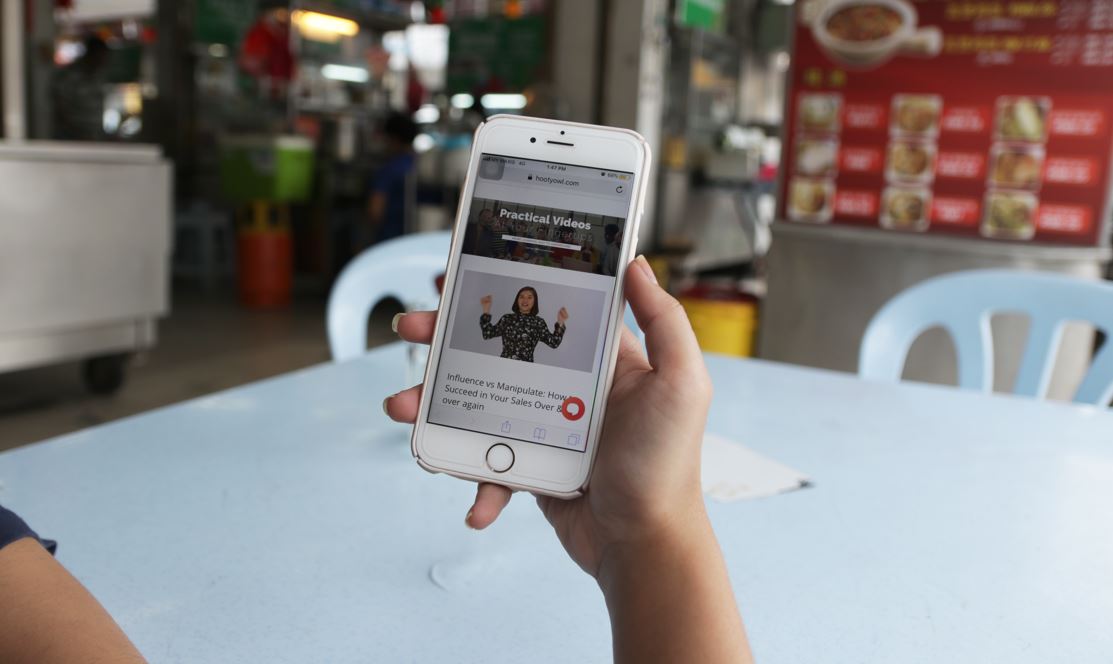
If we accept that mobile devices are a necessary part of life and aren’t going anywhere, we can move on to figuring out how to optimize their use in the classroom. Research is an obvious way to use mobile devices for learning. There is no reason why students should not be allowed to access the wealth of knowledge that is available to them from their phones. As a teacher, I do not see searching for answers on the internet as “cheating” because they can only get the answers to lower-level thinking questions, not the type of critical-thinking questions that students will have to build on that information to answer. I think educators need to rethink learning altogether and understand that quick access to facts and information is a great thing and can save us all time to think about solutions to higher-order problems. Mobile devices can also be used to collaborate. Group assignments are now easily done from any mobile device using Google Docs and Slides. Any number of people can work on a document or presentation all at the same time without having to save the document, send it to someone else, then they download and edit it, and send it back. This is particularly beneficial for distance learners, who will probably never be in the same room as their peers. Mobile devices can also be used in the classroom to access videos that provide tutorials and other forms of assistance. Personally, I have used YouTube videos to learn a variety of things, such as how to rewire a lamp, compost, replace the oxygen sensor in a car, create rain barrels, prepare a roast, and many other things. I have also effectively used videos in class to help students understand abstract concepts, such as imagery and dramatic irony, as well as the steps to writing a thesis statement. The access to videos alone is enormously beneficial in a classroom setting because sometimes they are simply more effective than other methods.

As an aside, the best part about mobile devices is that they make learning accessible from anywhere and for everyone, not just students in a classroom. The sort of self-directed learning that one can do from their mobile device makes lifelong learning possible (Balasubramanian, Thamizoli, Umar, & Kanwar, 2010). This results in a democratization of knowledge that is empowering and can help people who may never have the opportunity to step foot inside a classroom. 

Reference

Balasubramanian, K., Thamizoli, P., Umar, A., & Kanwar, A. (2010). Using mobile phones to promote lifelong learning among rural women in Southern India. Distance Education, 31(2), 193–209.

See the source image
Source: http://www.originlearning.com

Slides

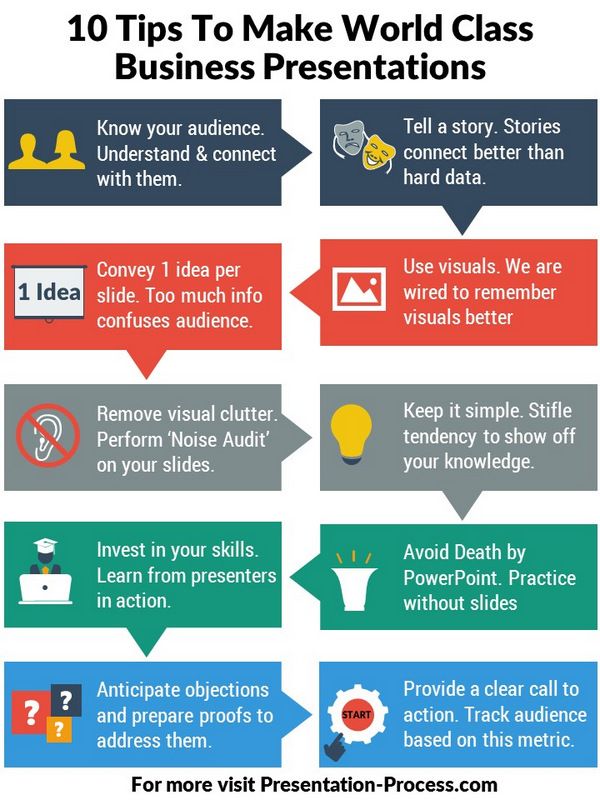
PowerPoint presentations can be epic failures when executed improperly. There is nothing worse than sitting through dozens of slides as an entire presentation is read off the screen line-by-line. Slide presentations may be a necessary evil for students as they learn basic presentation skills in classroom settings. Those skills can translate to the workplace and anywhere else students may need to assume a leadership role, or simply address a crowd. Rather than expound upon all the ways that presentations can go wrong, let’s take a look at how we can make the most of our slides.

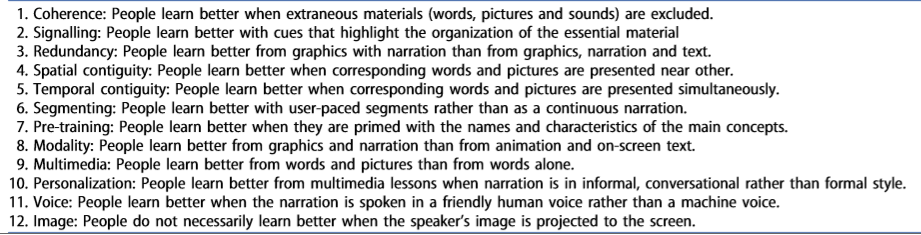
With the Mayer Multimedia Learning Theory as a theoretical basis, the following evidence-based principles of multimedia design should be considered in order to develop an effective slide presentation (Grech, 2018):

These principles can help us make the most of slide presentations, whether we are completing an assignment or are presenting information to learners. One key takeaway from Mayer’s theory is that multimedia seems to be the best approach. Including photos, audio, and video media to your presentation helps to add interest, but only aids the learning process when materials are presented coherently. With PowerPoint, less is more. Only relevant and impactful images, text, and video should be included, reducing visual clutter and adding emphasis to the information provided.

Source: https://i.pinimg.com/736x/f2/74/4a/f2744a257f093d046fa28abd5aa65d92–sales-presentation-business-presentation.jpg

Reference

Grech, V. (2018). The application of the Mayer multimedia learning theory to medical PowerPoint slide show presentations. Journal Of Visual Communication In Medicine, 41(1), 36–41. doi:10.1080/17453054.2017.1408400

Design a site like this with WordPress.com
Get started